Webflow vs. Squarespace – Here Are the Differences

Webflow and Squarespace. Both tools are easy-to-use website builders. Both solutions deliver amazing results without even having to write a word of code. And both work visually — in other words: You can immediately see what you are changing on your website and what the result will look like.
The question is: Which solution is better for your purposes? Which system gives you more room for customization and which is easier to use?
This post dares to compare Webflow and Squarespace. First, get a general overview of both tools and then learn how they differ in terms of use, design options, pricing, and much more.
Webflow vs Squarespace overview
Although both Webflow and Squarespace are website builders, both tools don't serve the same market. With its complex customization options, Webflow is a solution for web designers and agencies who want to present tailor-made websites to their customers. Squarespace is generally a bit easier to use, but it also leaves less room for individuality. This solution is more suitable for absolute newbies in website design and for individuals who want to build and publish their own website within a very short period of time.
So much in advance. Now we're going deeper.
Templates & design options
Webflow
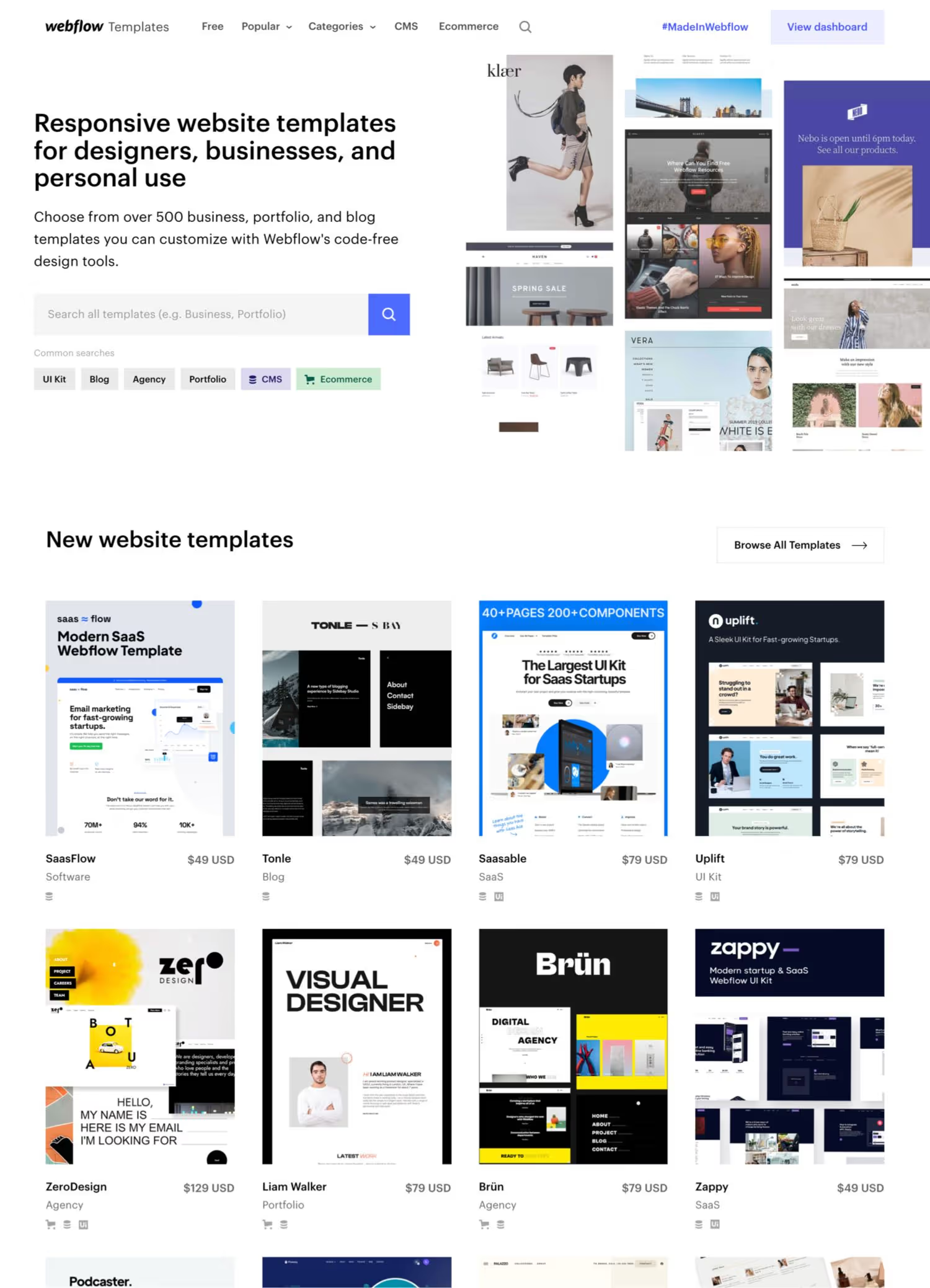
Webflow offers its users more than 180 responsive themes, some of which are free and some subject to a fee. Some of them are from Webflow itself, but most are from a community that can sell their themes via Webflow. Using a search function in the Webflow template overview, you can quickly find the right templates for your project.
The big highlight of Webflow: All designs can be individually adapted. This makes the website builder interface look a bit more confusing than Squarespace's. However, design changes down to the smallest detail are also possible. The good news: The more complex user interface is easy to use for designers.
By the way, anyone who is familiar with coding doesn't have to do without it with Webflow. You don't have to be able to code to build a website with Webflow. But if you can and want to, you can also integrate individual CSS, JavaScript code or jQuery code into your Webflow website. In principle, this allows you to create all possible types of websites.
Squarespace
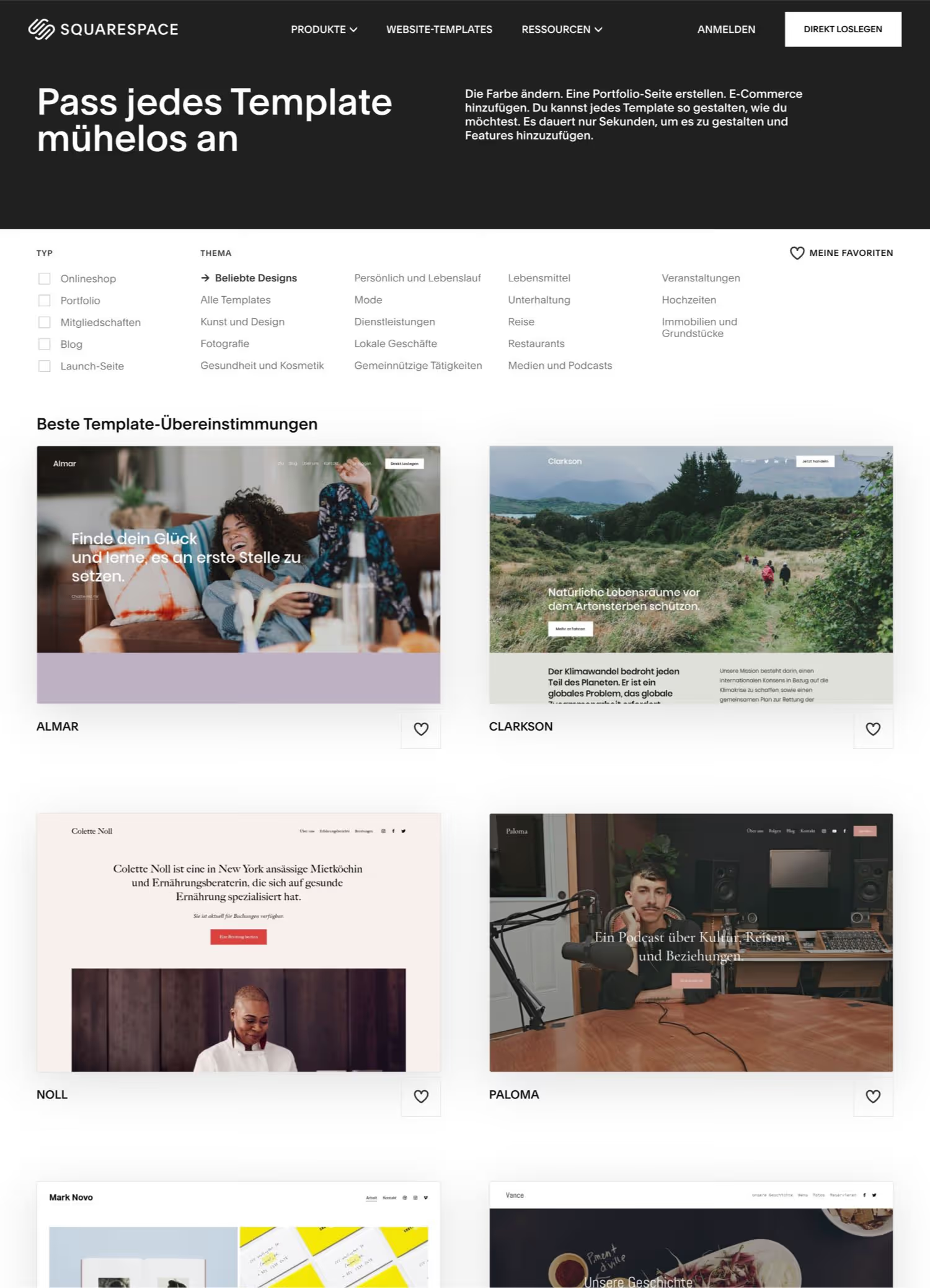
Squarespace provides around 90 beautifully designed templates in many categories. They are structured in such a way that users, who need a website quickly, do not have to spend much time designing and building them - but can still create visually appealing websites. Unlike Webflow, you don't have the option to design your website from scratch.
The great thing about Squarespace is that the creators of the themes are really good designers too, so the templates simply look beautiful.
All Squarespace templates are responsive and optimized for viewing on mobile devices. Particularly cool: The theme can be changed at any time during the design process. That is not possible with Webflow.
If you know how to code and want a bit more individuality or special features in Squarespace, you can also add custom code to this solution. However, a corresponding package is required.
Plugins, extensions, and more
Webflow
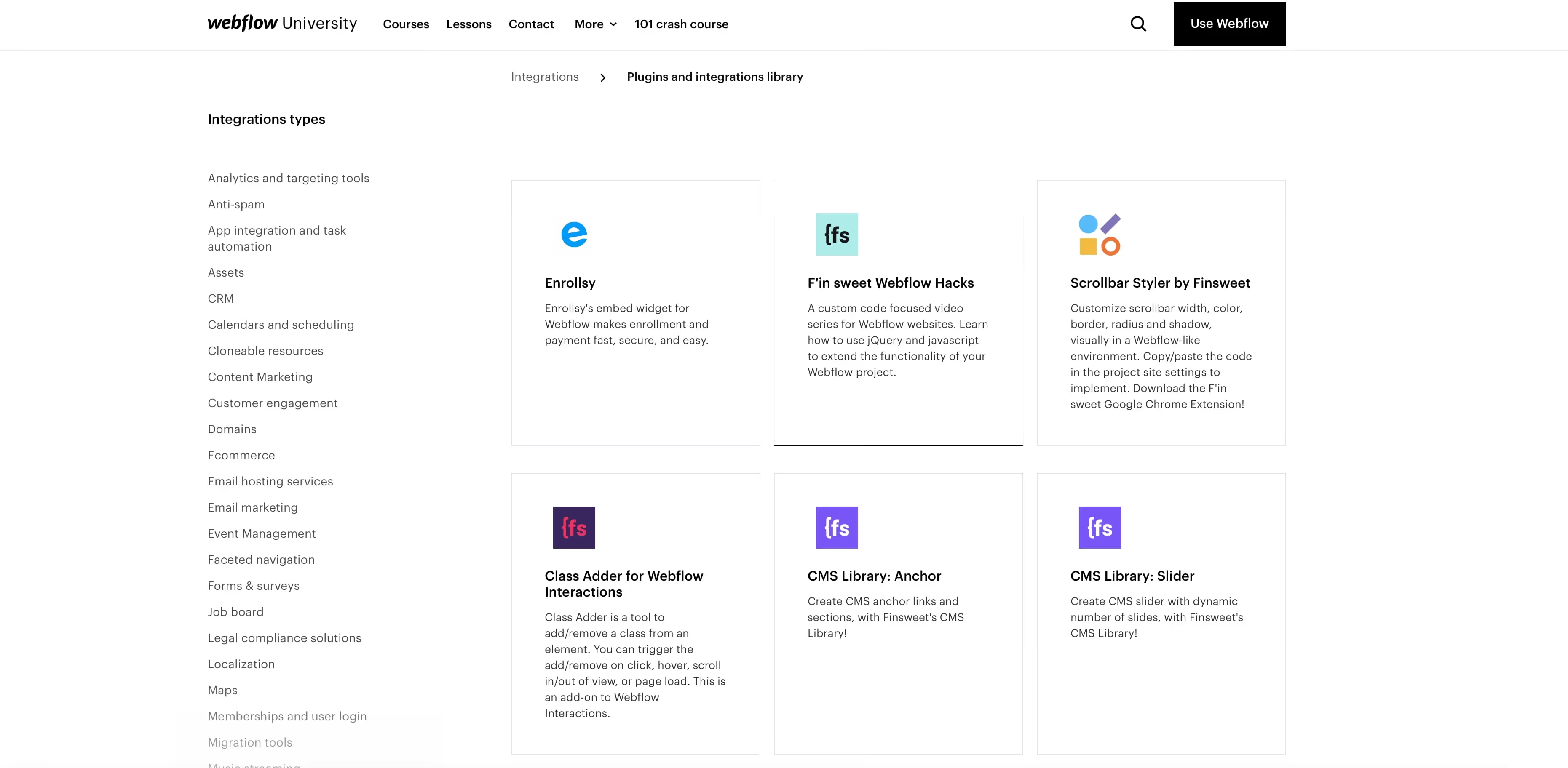
Webflow offers its users numerous advanced features such as interactive Google Maps, user-defined animations and e-commerce functionality. In addition, well-known Webflow plugins and integrations available.
Whether it's programs for email hosting, social media feeds or newsletters — the selection of appropriate extensions is huge. In principle, you can integrate almost any function you can imagine. It is only important to know that Webflow (as of 2021) has not published its own plugin store. It is therefore not like many Wordpress plugins out there that you can install Webflow extensions with one click. However, these can usually be added with just one line of code.
Squarespace
Unlike Webflow, Squarespace doesn't have a plugin overview. However, there are some third-party plugins that are easy to integrate.
In return, Squarespace offers a number of features out of the box, which are covered by appropriate extensions in Webflow. This includes professional e-commerce functions, for example.
The extensions show that Squarespace doesn't have as many plugins and widgets as there are for Webflow. However, the selection is usually sufficient for normal individual users. Anyone who professionally creates websites for customers will find a wider range of practical features in Webflow.
customer support
Webflow

Webflow has a large knowledge base, offers extensive and numerous tutorial videos, and a good help center. Webflow customer support is also available via email.
On top of that, there are plenty of opportunities to learn Webflow from scratch. For example, there is Webflow University, the Webflow blog, the forum and a constantly growing community that is really extremely helpful and has lots of questions in the Webflow forum answered.
Squarespace
Squarespace also has a comprehensive knowledge base. In addition, an automated assistant is integrated into the tool, which guides users step by step through website creation.
With Squarespace, you can also reach customer support via chat or email.
pricing
Webflow
Getting started with Webflow is free of charge. In theory, you can completely complete the website creation without paying a cent. You only need a paid plan if you want to publish your Webflow website.
Webflow packages differentiate between site and account plans. A site plan is completely sufficient for a website. You only need account plans if you want to handle multiple projects on Webflow within one account - or even work together with several people on a website. Webflow Site plans currently start at $15 per month.
Tip: Webflow pricing simply explained: Site plans, account plans and the free version
Squarespace
You can try Squarespace free for 14 days first. Only then do you have to opt for a paid package. You can choose between a monthly or annual subscription - although the annual subscription is cheaper per month. The monthly website price currently starts at 11 euros. The most expensive package is currently 36 euros and offers numerous e-commerce features. However, for a simple portfolio website, the cheapest package is sufficient. By the way: Unlike Webflow, all Squarespace plans include a domain.
learning curve
Webflow
In theory, you can get started with Webflow right away. However, the tool can look a bit gigantic at the beginning for complete newbies. If you start with Webflow, you should therefore watch a few tutorial videos to get you started. I have numerous Webflow users for you and other Webflow users Webflow tutorials and explanatory videos created. However, if you want to learn Webflow from scratch, I'll give you my Webflow course to the heart. With this course, you can - if you really follow through - master Webflow within a week.
Squarespace
Squarespace is so clear and yet its functionality is so minimized that getting started right away shouldn't be a problem. The numerous templates allow you to launch your first website within a few hours. However, the customization options for your website are limited. Still, if you simply need an online presence quickly and don't attach much importance to customization options in design, Squarespace is a good choice. For smaller companies such as cafés, medical practices or customers who simply want to share information with the outside world, Sqaurespace is sure to quickly assemble a chic website.
Learn Webflow now

Are you a website designer and would like to deliver individual websites with impressive animations to your customers? Then Webflow is your tool. Feel free to take a look at my YouTube channel — I'm looking forward to you!


%2520unno%25CC%2588tig-blog.avif)