Source by Webflow: Good Enough for Pros?
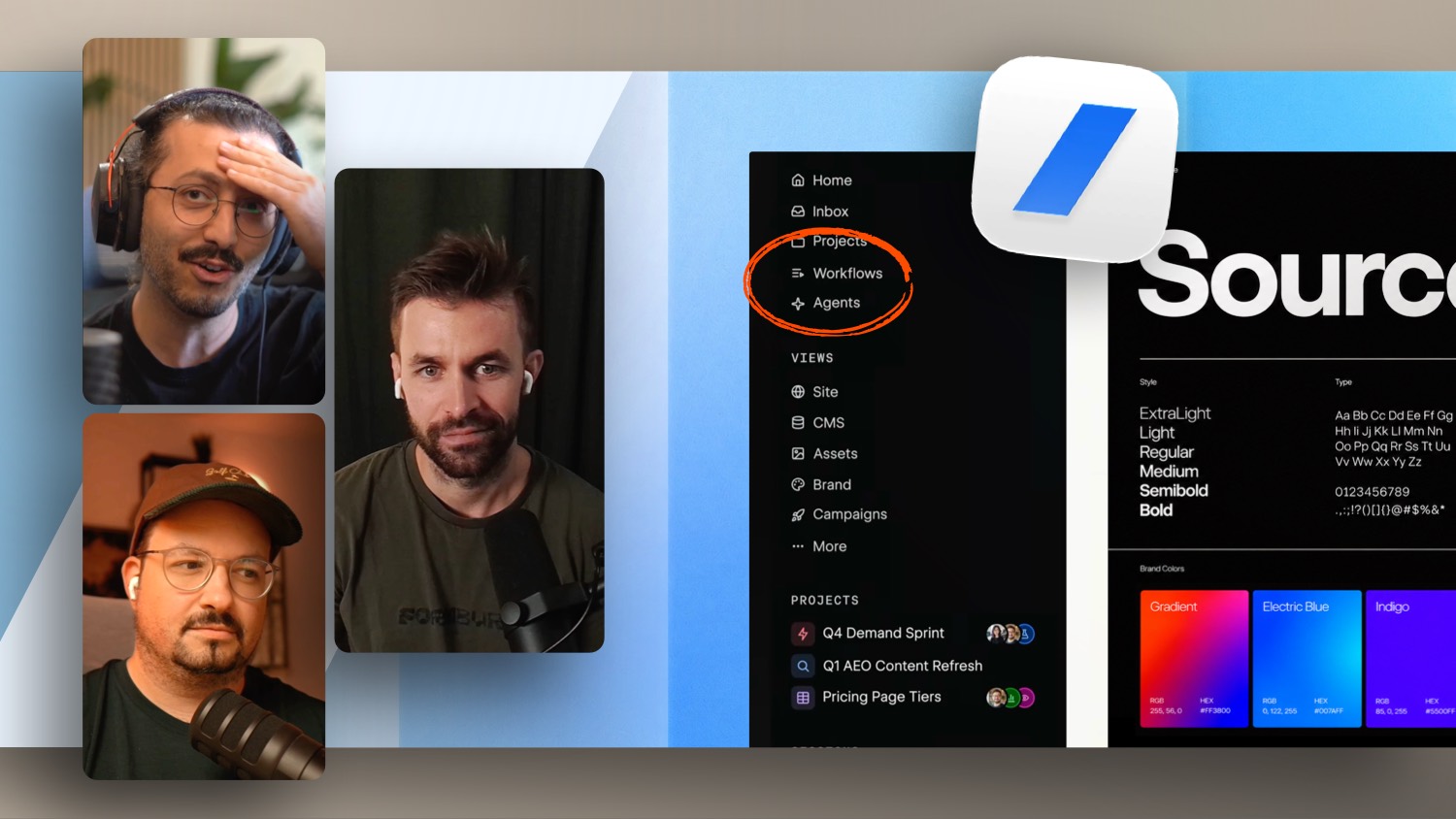

Source by Webflow brings marketers, designers, and developers together in a single tool. But is it really good enough for professional needs, or will you end up building a lot of it yourself?
In this episode, the three of us discuss what Source by Webflow actually is: a local Mac app, a next-gen CMS with movable blocks and views, open hosting, and agentic workflows. We break down what is truly new, where the strengths lie (design system, brand consistency, maintainability), and where the open questions are: AI models, dependence on the tool, and how much of it you could build yourself with open source.
We also talk about the real value of web designers in the AI era: taste, control over animations with GSAP, and why knowing terms like stagger or depth map makes the difference.
Source by Webflow: What Is Behind the New Tool
At the last Webflow Conf, one topic was hard to miss: Source by Webflow. Many people saw it and immediately thought everything was about to change. But what is really behind it, and is it good enough for professional needs? That is exactly what the three of us discussed, and we worked out a few interesting points.
One thing up front: right now there is only a research preview. So much of this is still assessment and speculation, not the final truth. Still, it is worth a look, because Source fundamentally heads in a different direction than the Webflow you know so far.
What Source by Webflow Actually Is
Source is not a new Webflow Designer, and it is not a pure AI website builder with a single prompt field either. It is a standalone app that you install locally on your Mac. It is meant to run alongside the existing Webflow at first, and it brings marketers, designers, developers, and agents together in one tool.
A key point: you can use your existing codebase and import your Webflow project. You can also connect CMS, hosting, and your own stack however you like. That opens Webflow up considerably. Until now we knew it as rather closed, with an abstraction layer through which everything first had to be translated. In the future you can copy a code snippet from somewhere else, paste it, and it is immediately visible and usable, including for the agents.
The Next-Gen CMS Is the Real Leap
The most interesting part for me is the new CMS concept. Instead of rigid rich-text fields that barely let you do anything, you get a truly free CMS with data tables for all kinds of information. You feed your components, whether hero, slider, or blog, with this data and can move them around freely.
This opens up new possibilities, especially for SEO pages. A good SEO page needs many different components that are fed through the CMS and that the client can still arrange themselves. That was barely possible with the old rich-text approach. You can even build components inside components and move everything around flexibly.
The appeal lies in scalability and maintainability. Building a single landing page with AI is easy today. Cleanly maintaining an entire system, with views and an overview, is the real craft. And that is exactly what you can sell, even to smaller clients.
Editing Visually or Leaving It to the Agent
An open question is how much you still edit visually yourself. My experience with similar tools: once you start rebuilding the agent-generated CSS yourself, you quickly lose track of how the system is structured. It can make more sense to leave the styling system to the agent and, as a human, just check whether the result looks good.
What stays important, though, is clicking directly in the canvas to change text yourself. Because AI-written text often sounds like AI. And for details where a graphic element has to sit exactly right, you still want a UI and the control. Whether the agent uses flexbox or grid is secondary. What matters is that the last 20 percent of fine-tuning is right.
Why a Good Design System Is Decisive
One argument convinced me in particular: AI agents are only as good as their training data. And a large part of the web is simply bad, visually and in terms of code. This is exactly where a big strength of Source could lie, namely building a sensible design system and ensuring brand consistency.
It is conceivable that an agent reports back when something is not on brand, for example a wrong color or font on a newly published page. Especially at larger companies, chaos quickly arises when different departments build their own pages. A system that enforces this consistency solves a real problem.
The Open Questions: Models and Dependence
As exciting as this is, there are open points. So far it has not been shown whether you can work with your own AI model or your own subscription. That is crucial, because if Source is built too closed, it could get worse as better models appear. A strong model in a rigid system does you little good if a cheaper and better one is available tomorrow.
Connected to this is the question of how much of Source you could actually build yourself. A lot already exists as open source. Views can be exported and are, in the end, normal web components. A simple brand tool with colors, effects, and backgrounds is quickly built yourself today and can even run directly on the client side on a password-protected page. The answer often lies in the middle: some things are worth doing through Source, others you are better off building in your own setup, because it is cheaper and fits your workflow exactly.
The Real Advantage: Taste and Control
The most important thought for you as a web designer: an agent is only as good as your input. Whoever knows that stagger exists, that you can even control the easing of a stagger, or how a depth map works, gets more out of every tool. Whoever does not know these terms is limited to whatever the agent delivers on its own.
This shows especially with animations. Instead of learning an entire GSAP timeline UI, you can tell the agent which animation you want and set the fine details yourself through small, deterministic controls. Tools like Dialkit or libraries like AnimeJS make exactly that possible. You no longer build one version, you try twenty variants in a short time.
And taste? That can be practiced. A lot of what we perceive as subjective is actually objective: hierarchy, contrast, a clear message. When you look at good work every day, for example at award sites, you sharpen your eye. It is precisely this creative, human contribution that will make the difference in the future, when almost everything looks good technically.