Webflow 2.0: Is a Local Mac App Coming?

A locally installed Webflow app for the Mac? That is exactly what the teaser for the Webflow Conf hints at, and it turns a lot of what we thought we knew about Webflow on its head.
In this episode, Christian Schmitt and I talk through the hidden clues on the teaser page: the Mac desktop, the strange icon in the dock, the nodes and what a local environment would really mean. Working offline, hosting your own code, connecting the CMS flexibly and the designer combined with an AI chat right inside the program. We break down where the journey with Webflow 2.0 could be heading and what is realistic to expect on September 2.
You will learn which details are hidden in the teaser, why a local app would be a real shift in strategy and how to make sense of all this as a web designer, without letting the weekly AI hype drive you crazy.
Is Webflow About to Launch a Local Mac App?
Sometimes a single teaser is enough to get an entire community thinking. That is exactly what just happened with Webflow. The page that went live as a preview of the upcoming Webflow Conf shows something many did not expect: a classic Mac desktop. And that raises an interesting question. Is Webflow working on a locally installed app?
In this article I take that idea and look at what is hidden in the teaser, what a local app would actually mean and how you can make sense of it as a web designer, without letting the constant AI hype get to you.
The Teaser: a Mac Desktop Full of Clues
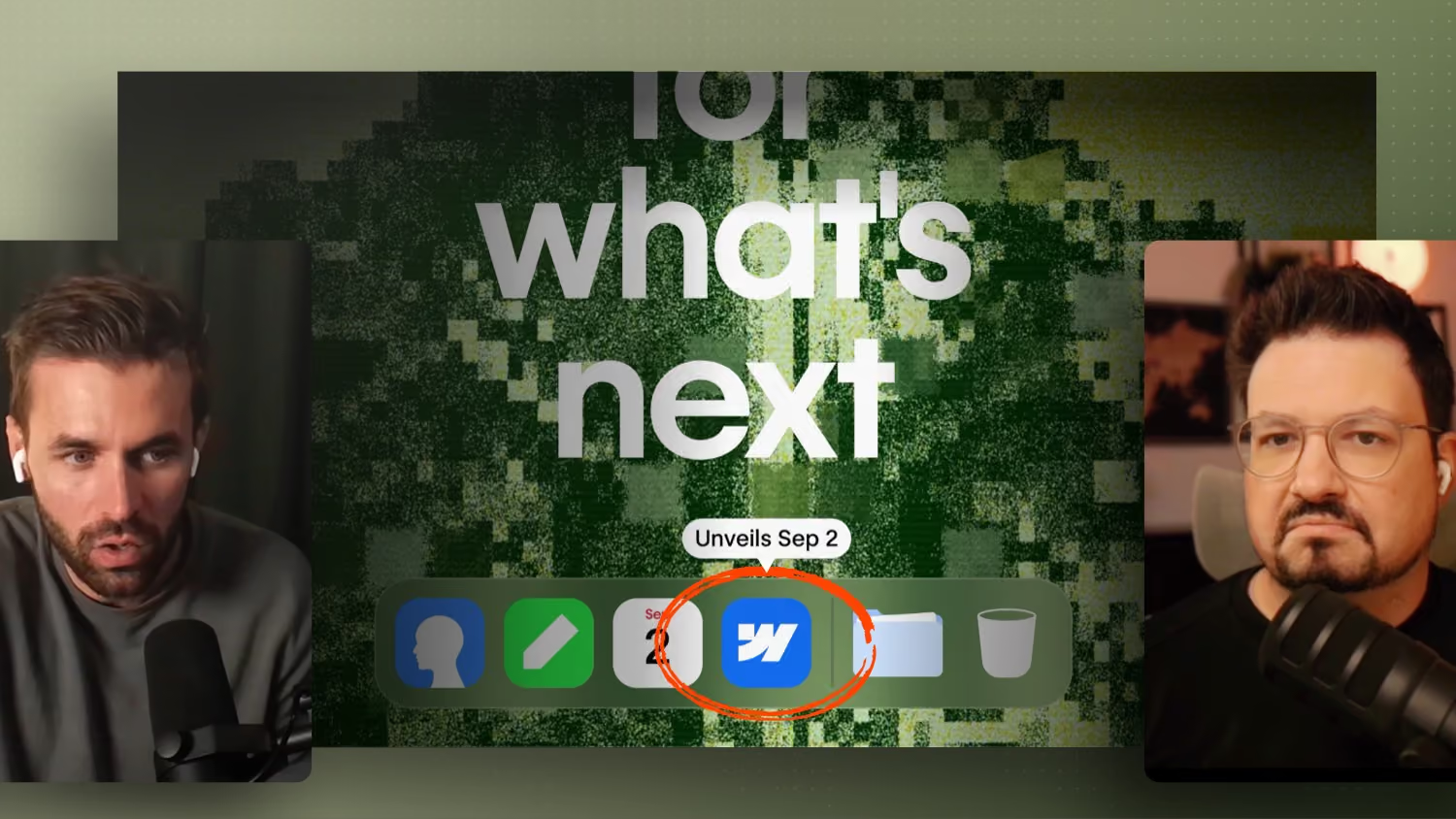
Anyone who opens the teaser page does not see a classic marketing screen, but a rebuilt desktop environment in the style of macOS. At the bottom the typical dock, along with various programs that can be clicked and in some cases even opened. The most interesting part: one particular program icon cannot be launched yet. When you hover over it, a hint about September 2 appears, the day when more will apparently be revealed.
The icon itself is also interesting. It looks a little unusual, almost like a silhouette. One possible explanation is quite pragmatic: Webflow was probably not allowed to use the official Apple icons and therefore had to design its own. So no deep secret code, but rather a legal necessity.
By the way, anyone digging through the code of the page will not find any big hidden surprises. The page itself is still built with the familiar Webflow. A few details were left out, but the media and elements in use are completely normal. The real signal is not in the code, but in the staging: we find ourselves in a local environment.
Why a Local App Would Be a Real Shift in Strategy
Until now Webflow has worked on a clear principle. You work in the browser, everything runs live and every change is pushed instantly. A locally installed app would break exactly that approach.
The most obvious benefit: you could theoretically work without an internet connection. On its own that might sound unspectacular, but it has bigger consequences. Because if Webflow runs locally, the question immediately comes up of how projects are hosted and how content is connected.
One conceivable direction would be that you build locally and then host the code through Webflow. Just as easily, it could come down to connecting a CMS more flexibly, whether that is the Webflow CMS or something else. In this scenario Webflow would open up a little, without giving its own products out of its hands. The idea behind it: even if there are alternatives, you should still choose Webflow in the end, simply because everything fits together cleanly.
Designer plus AI: the Real Wish
Things get interesting around the question of how artificial intelligence fits into a program like this. The thought is obvious: Webflow already has many interfaces that make it possible to add new functions fairly quickly. An agile team can move a lot in just a few months, especially when the foundations are already in place.
For many web designers, though, the ideal would not be a pure text interface. Much more interesting is the combination of the familiar Webflow Designer and an integrated AI chat. You start building, let it suggest or generate things and still keep visual control. So you keep manipulating directly in the designer, instead of describing every optimization awkwardly through speech or text. It is exactly this mix of speed and control that would make the difference.
One important note: much of this is currently an educated guess, not a confirmed announcement. Whether and how Webflow integrates an existing AI or builds its own solution remains to be seen.
Not a Finished Product on Day One
With all the anticipation, a realistic assessment is worth it. It is unlikely that there will be a download right after the conf that lets you get started immediately. More likely, the conf will show first insights and a clear direction. So less a finished tool and more a vision that has already been worked on internally for a while.
For you as a web designer that means: this teaser is above all about orientation. Many in the community have recently been asking where Webflow is actually heading. A signal like this answers that question at least in part.


%2520unno%25CC%2588tig-blog.avif)