Webflow Announces Major Updates for 2022 – No-Code Conf Recap

At this year's No-Code Conf, Webflow is presenting new updates and features in the following areas:
- UI — user interface
- Data
- logic
In summary, these three pillars are also the basis of software development. You can watch the full keynote here: https://youtu.be/kUqGBxcmhAA
What was announced for all Webflow users
Feel free to use the chapter markers in the video to jump to the individual subject areas!
Collaborate in teams

Teams can now assign roles within a Webflow account even more easily and also add more members. This can happen on the customer side or on the agency side. Everyone can work on a Webflow project at the same time. In addition, a comment function was added.
Blending modes and backdrop filters
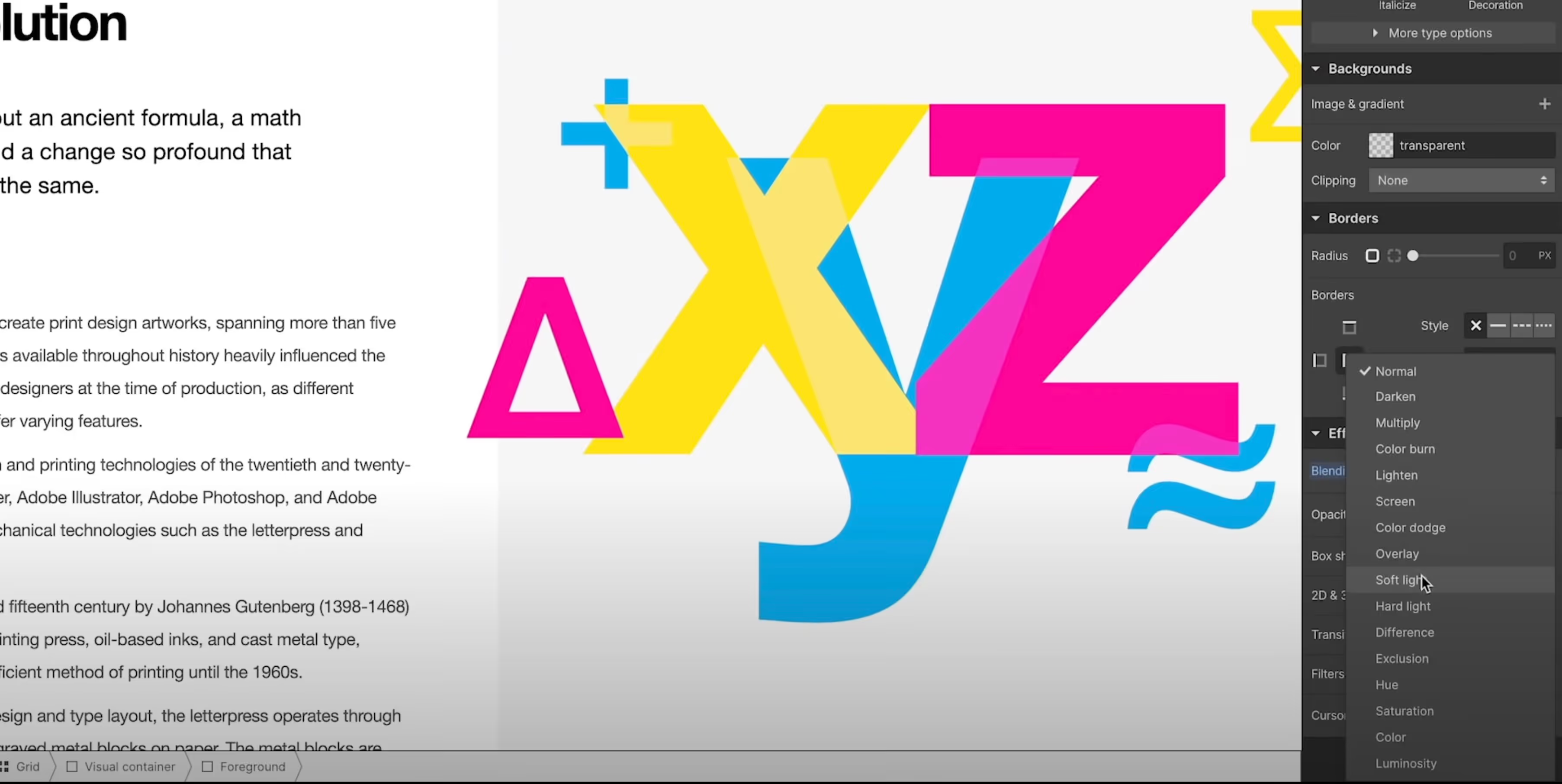
The Webflow Designer has also received updates that are immediately available to every user. This means that transparencies can now also be given a “blurry look” (as is often known from iOS). You can also add filters to elements that are familiar from many layout programs (Darken, Multiply...). The live preview allows you to immediately see which CSS filter fits best.
CMS performance updates

The Webflow content management system is used by 68% of all Webflow users and it was time for a speed update. The time in which CMS collection data is available in Webflow Designer has been drastically optimized. With this change, Webflow Designer is up to 15 times faster than before, using 6 times less memory in the browser. In addition, charging requires 86 times less bandwidth.
The agency Finsweet has already tested this and provided feedback:
“Projects with more than 3,000 CMS elements now feel like projects with 100 elements.”
Member login and subscriptions

In the future, login areas and memberships can be created in Webflow. This allows website content to be limited to a specific user group and to create both free areas and paid areas. You can pay once, monthly, or annually. This even allows you to build entire online courses directly in Webflow.
Business Logic

Probably the most exciting part was presented at the end. With the Logic area, Webflow opens up a completely new business area. What you know from other tools such as Zapier or Integromat will soon be possible directly in Webflow. This allows you to automate some processes and, in combination with the Webflow CMS, user logins and member areas, implement incredibly exciting projects. I'm already looking forward to it!

%2520unno%25CC%2588tig-blog.avif)