Webflow Designer UI Update March 2024 – Layout Panel
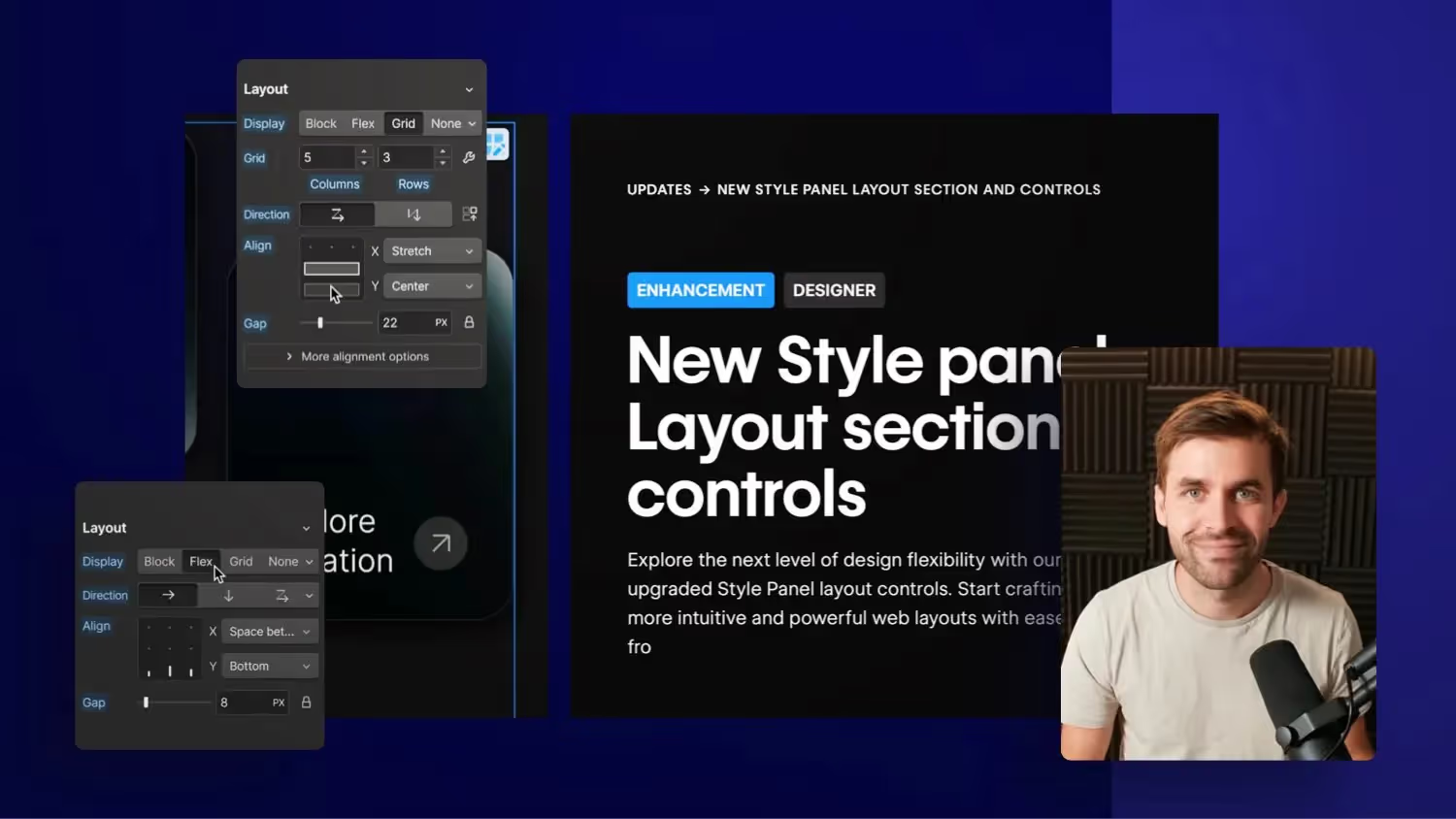

Webflow has released an update to the Webflow Designer UI that includes changes to the Layout Styles panel on Display Flex and Grid. The changes were presented and discussed, with Jonas Arleth giving his opinion on the new features and design decisions. Future potential changes to the Webflow Designer UI were also pointed out.
New Webflow Designer UI: A look at the latest changes
Webflow, a popular tool for web designers and developers, unveiled its new Designer UI in October 2023. Now, four months later, we're seeing a small update in the layout area panel. In my latest video, I go through these changes, discuss their impact, and share my thoughts on them.
Introducing the new style panel
The first change that stands out is the increased order in the layout panel. The UI looks tidier and provides an improved user experience.
In the past, icons were used without text, which could lead to confusion. Now the options are written out, making them easier to recognize and use.
Focus on important layout elements
The main points, such as Display Block, Flex, Grid and None, are now more in focus. This makes work easier as these elements are used frequently.
Adjustments in the grid panel
The grid panel has also undergone some changes. New options and improved functionalities make it easier to work with grid layouts.
Challenges and potentials
Despite the improvements, there are also some challenges. Some decisions, such as merging Column and Row Gap, could make the adjustment difficult or you may need more clicks to achieve a result.
Outlook and Conclusion
The latest updates to the Webflow Designer UI provide an improved user experience and make working with Flexbox and Grid easier. However, there is room for further improvements and adjustments. I'm excited to see how the community will receive the new features. If you want to go deeper into Webflow, I recommend my Webflow online course.

%2520unno%25CC%2588tig-blog.avif)