Animation of a Digital Consciousness – Futuristic Interface Effects with Webflow & GSAP
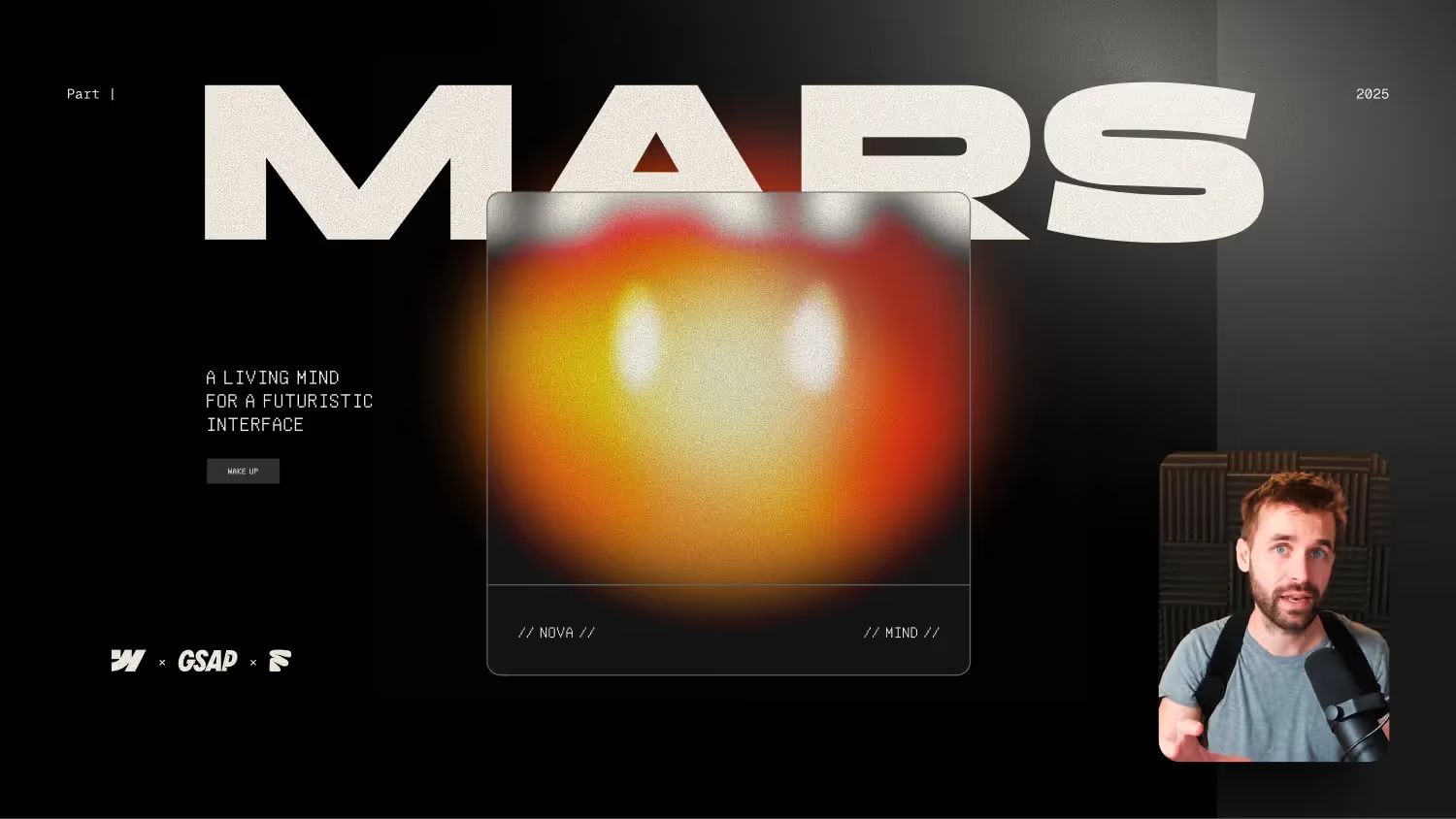

In this tutorial, you'll learn how to futuristic, AI-inspired interface with the new Webflow + GSAP interactions animate.
We create the illusion of “living spirit” — with a glowing, changing, reactive center that appears intelligent and lively.
Whether you're a Webflow designer, creative coder, or motion design enthusiast, this step-by-step guide shows you how to combine:
- Organic glow and plasma effects
- Morphing forms with the new GSAP animation tool in Webflow
- Ultra-Gradients directly in Webflow — without SVGs
- AI-inspired motion design
- Smooth, responsive UI interactions
Bring your interface to life visually and conceptually — perfect for anyone who wants to think Webflow beyond static design.
How to animate an AI-inspired user interface in Webflow
In this Webflow tutorial, you'll learn how to build a futuristic UI with GSAP animations — inspired by artificial intelligence, with morphing shapes, glowing accents, and a central element that looks alive.
Clever use of variables
The design is based on a main color, from which five accent colors are automatically generated. These colors control the entire ultra-gradient style of the surface. By using variables in Webflow, you can adjust the entire color scheme in a single setting — a real boost for your design systems.
Structure and animate components
At the center is a “Nova Component” — a round, centrally placed area with a blur effect, which is supplemented by further animated shapes. Using Flexbox and Absolute Positioning, several geometric elements are stacked, blurred and provided with different colors from the variable system.
It becomes particularly exciting when these forms are combined and animated in so-called “blending groups.” This creates an organic, plasma-like effect that gives the impression of a living AI.
G-SAP Interactions in Action
The entire animation is done via G-SAP Interactions in Webflow:
- Rotate main and blending shapes with Ease In/Out
- Morphing changes in the size of individual elements
- Central lighting elements that show and hide
- Repetitive, offset animations, such as blinking eyes
These animations can be individually adapted and extended — perfect for your own projects with dynamic interfaces.
More than just a tutorial
The entire project is available as a free clone link — ideal for rebuilding, learning and adapting. The series continues and offers lots of new ideas for advanced webflow design.
If you want to go deeper, check out my Webflow Expert course on. There you will learn many more advanced layouts and animation techniques for customer projects.

-blog.jpg)