The secret trick for GSAP scroll animations without flickering (even in Safari!)

In this video, I'll show you how I analyzed a persistent performance problem with a GSAP scroll animation in Webflow and solved it step by step. After a browser update, elements began to stutter and flicker — especially in Safari. I'll talk about various debugging approaches, the role of width animations, 3D perspective, backface visibility, will-change, isolation, and why scale over width is often the better choice. Ideal for anyone who wants to dive deeper into high-performance animations in Webflow with GSAP.
Why your Webflow animations are stuttering — and how to fix them
The initial situation: Animation suddenly doesn't run smoothly anymore
An originally smooth G-SAP scroll animation suddenly stopped working properly after a Safari update: elements flickered, scrolled jerky, or disappeared for a short time. The issue only occurred on certain browsers and displays.
Analysis and initial approaches
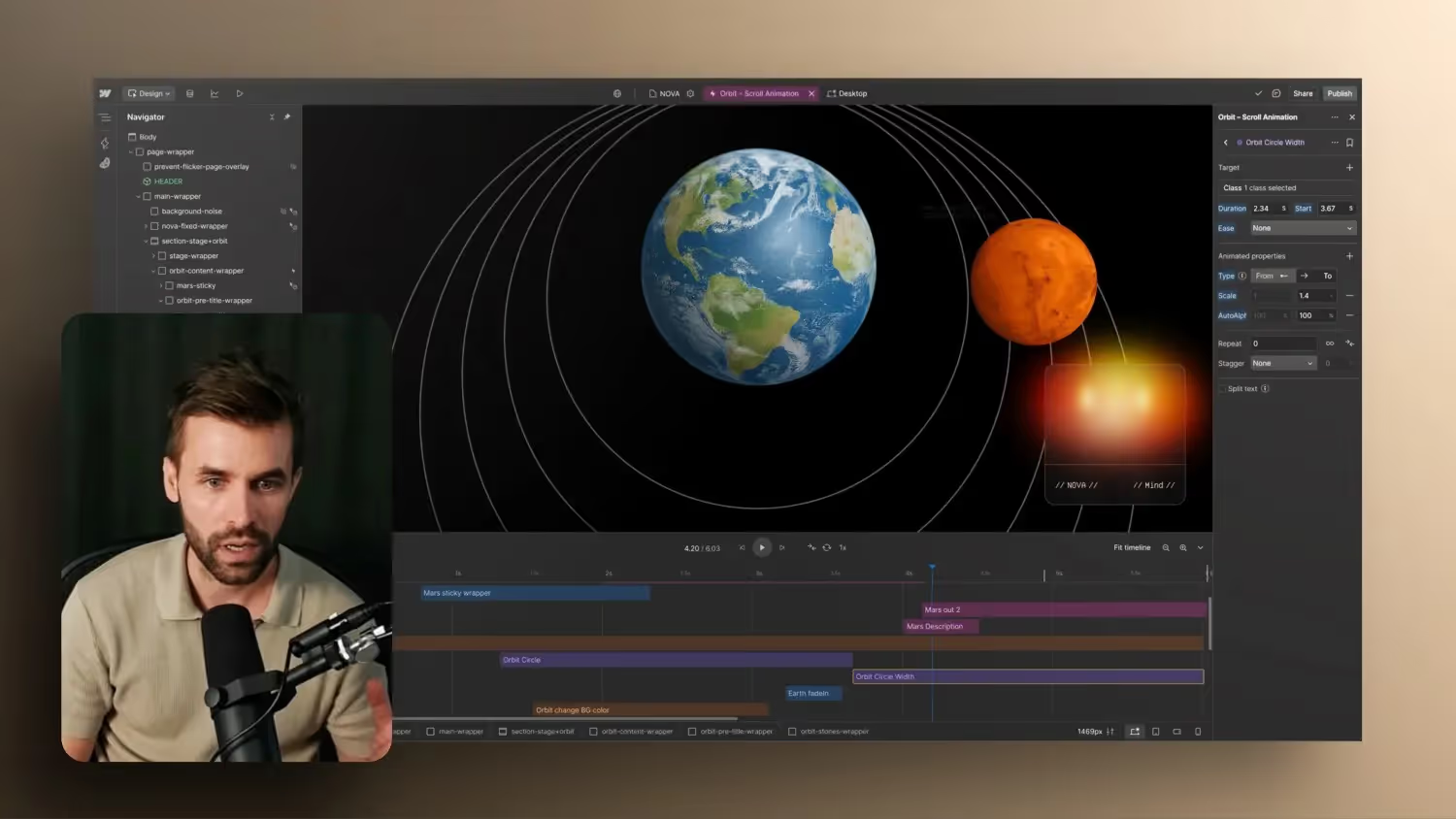
First, the existing animation was created withWidth-Analyzes changes. Particularly problematic: The browser layout had to be adjusted by changing widths every time the frame was recalculated. This led to repaints and performance drops — especially when several elements were affected at the same time.
The technical causes
- animated
WidthProperties led to layout reflows. backface-visibility: hiddenwas able to avoid visual errors with 3D transform elements.will-change: transformhelped the browser prepare for animations at an early stage.Isolation: isolateisolated problematic components, but did not work reliably in Safari.bordervsBox-Shadow: Instead of lines acrossborderTo represent, an inner shadow was more performant and visually stable.
The solution: replace width with scaling
Instead of the Widthproperty to animate was set to Transform: scale rearranged. The circles became larger by scaling — without recalculating the layout. That almost completely eliminated Ruckler, particularly in Chrome. Safari remained more demanding, but also showed tremendous improvement there.
conclusion
When working with the new GSAP interactions in Webflow, be careful not to animate too many widths or heights. Better use Scale, Translate or opacity. The performance of your animation depends heavily on how you use CSS properties — and whether your code is optimized for the target browser.
If you want to dive deeper into high-performance animations with Webflow, you'll find the right one on Formburg tutorials and courses.



-blog.jpg)