Lets create a high-quality online course website stage with Webflow
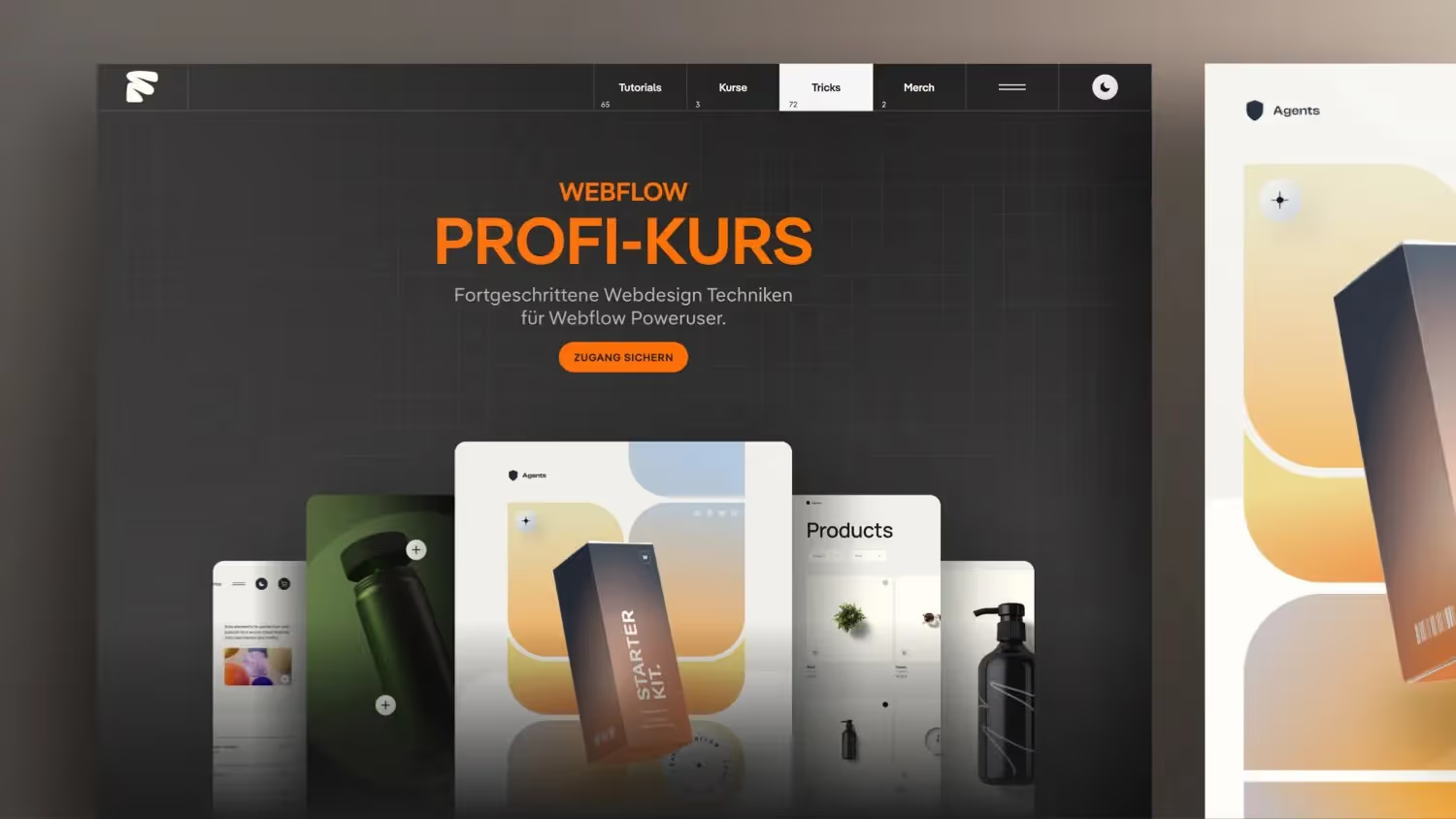

Today I would like to give you an exclusive look at the development of my new Webflow Professional Course for Webflow Power Users. Accompany me as I create the landing page for this advanced course offering and the considerations and techniques behind it.
In this episode, Jonas Arleth discusses various techniques for designing and optimizing Webflow projects. He explains how to create flexible layouts, adjust container heights and widths, place images effectively, and use gradients and shadow effects. In addition, the importance of responsive design is emphasized and advanced Webflow techniques taught in an online course are discussed.
Behind the Scenes: How to Create My New Webflow Professional Course Landing Page
In the Fast-Paced World of Web Design, it is crucial to always stay up to date with the latest technology and to master advanced methods. Today I would like to give you an exclusive look at the development of my new Webflow Professional Course for Webflow Power Users Give. Accompany me as I create the landing page for this advanced course offering and the considerations and techniques behind it.
Introduction to the new Webflow professional course
After my extensive Webflow online course Has already helped many users master the basics of Webflow, I've noticed that there is a growing need for more in-depth learning content. In my customer projects, I often work on complex, tailor-made solutions — from interactive configurators to individual shopping cart functions. These advanced techniques go beyond what I can teach in an entry-level course.
Why a course for power users?
Webflow's advanced features and animation techniques require deep understanding and experience. Many of these topics are too complex for beginners, but for experienced web designers, they offer tremendous opportunities to build impressive websites. With the new Webflow Professional Course I would like to meet exactly this need and create a learning offer that is aimed at ambitious Webflow users.
The Development of the Landing Page: A Look Behind the Scenes
Parallel to creating the course content, I am working on the landing page for the new course. The landing page should not only provide information, but also demonstrate the advanced capabilities of Webflow. Here are some of the steps and considerations that go into development:
Designing a Unique Stage (Hero Section)
The start or “stage” of the landing page is of decisive importance. I chose an innovative, pyramid-like design that is directly inspired by the course content. In the course, for example, we will create and animate a box that is built in Webflow and provided with 3D effects. I integrate these elements into the landing page to give visitors a foretaste of the advanced techniques.
- Build directly in Webflow: Instead of including graphics or videos, I build the elements directly into Webflow. This improves performance and enables better responsiveness on different devices.
- Animations and mouse-movement effects: The integration of animations and interactive effects makes the landing page more lively and appealing.
Technical optimizations for best performance
Fast loading time and optimal performance are crucial for a good user experience and a high ranking in search engines. That's why I use the following techniques:
- Optimizing images: I avoid large image files and compress images directly into Webflow. By using modern formats such as WebP and tools like TinyJPEG, I significantly reduce the file size.
- Avoid large videos in the Hero Section: Instead of playing a video at the top, which can have a negative impact on loading time, I rely on interactive elements that were created directly in Webflow.
- Using CSS Gradients and Flexbox: Instead of exporting effects as images, I use CSS-Gradients and Flexbox to implement layouts and effects directly in the code.
Work efficiently with Figma and Webflow
When creating the landing page, I use Figma for the design and Webflow for the implementation. Some of my practices include:
- Quick image exports with screenshots: With my 5K screen, I can take high-resolution screenshots that I integrate directly into Webflow. This saves time compared to traditional export of images.
- Using templates and components: To speed up the workflow, I use existing templates and adapt them for the new landing page.
- Creative use of CSS classes: By cleverly using CSS classes and combo classes, I can customize elements individually and design them flexibly.
Challenges and solutions
During development, I encounter various challenges that require creative solutions:
- Responsive design for various breakpoints: The landing page must look good on all devices. By using flexbox and percentage values, I adapt the layout to different screen sizes.
- optimization for SEO: In addition to technical performance, search engine optimization is also important. With semantic HTML code, meaningful headlines and meta tags, I ensure that the page is easily found.
- CMS and automation integration: By connecting to CMS and tools such as MAKE, I ensure that changes, such as price updates in an Ablefy account, are automatically adopted on the website.
A course for advanced users — but not for beginners
It is important for me to stress that this new Webflow Professional Course Is aimed at experienced users. The content is complex and requires a deep understanding of Webflow. For beginners, I recommend my existing Webflow complete course, which teaches all the basics and provides a solid start.
Outlook: More exciting content
In the coming weeks, I plan to add more elements and sections to the landing page. For example, I'll show you how to create an interactive map directly in Webflow — without having to go through exported images. The aim is to continuously integrate new technologies and give visitors a comprehensive insight into the possibilities of Webflow.

%2520unno%25CC%2588tig-blog.avif)