Webflow Challenge winner! This is how the project came about (Deep Dive)
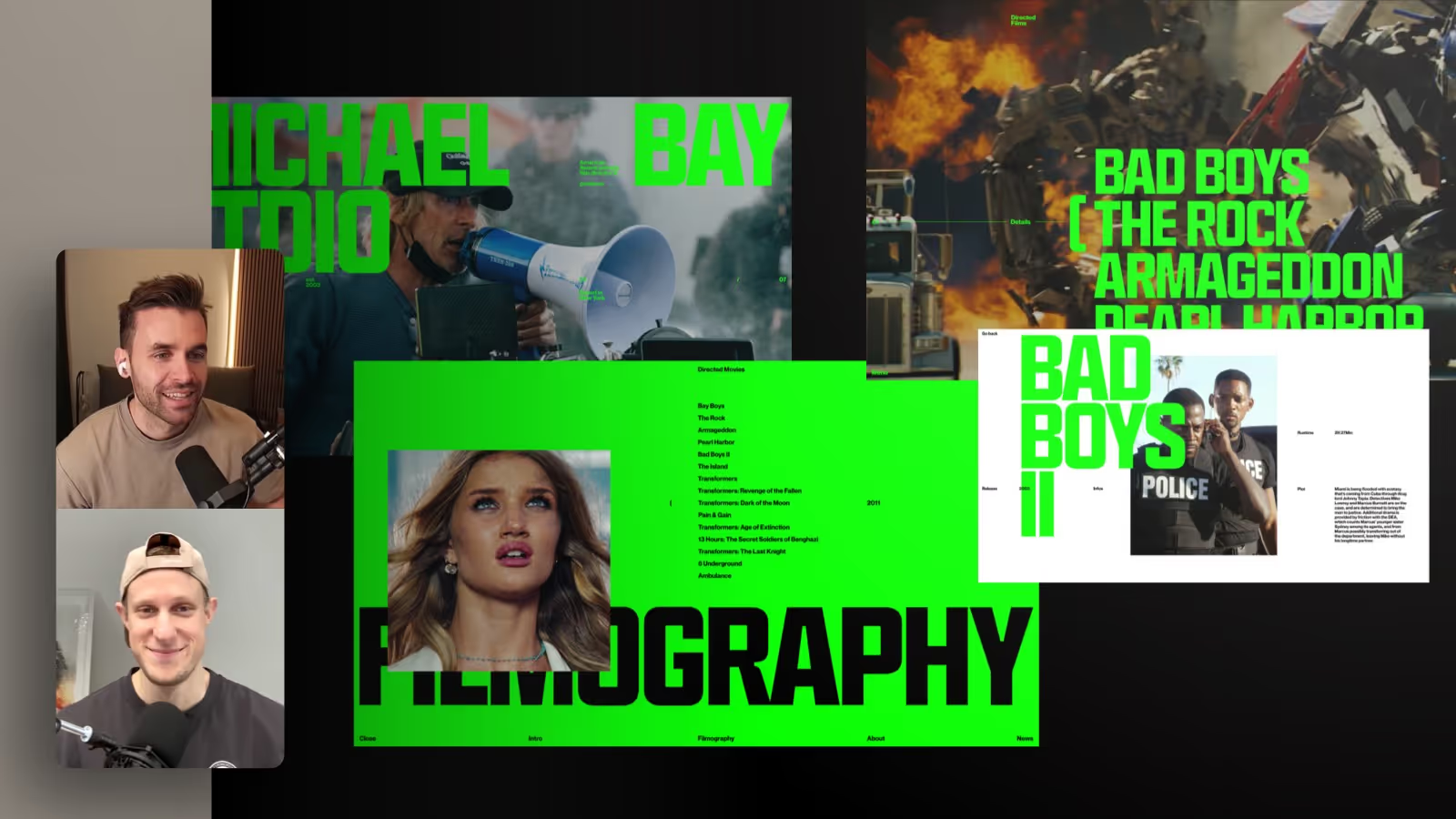

In this episode of the FORMBURG podcast, we take you behind the scenes of our award-winning Webflow challenge project. Together with Oliver Gareis, we'll discuss how we won 2nd place ($15,000) with the Michael Bay studio concept. We show design decisions, our approach with 24-column grids in Figma, technical implementations with custom code and scroll videos, as well as lessons learned about deadline printing, performance and workflow. A deep dive for web designers and webflow fans.
- I worked on this project together with Oliver Gareis, who has also set up his own online course: Master Typography & Layout. With the code FORMBURG you get 15% discount.
Why our Webflow challenge project made an impression
In this episode, we take an intensive look at the Webflow project, with which we 2nd place in the Webflow Challenge did. Together with Oliver Gareis, we explain how an idea became an award-winning result.
From concept to implementation
The initial idea was simple yet ambitious: a studio-style website for director Michael Bay. Our aim: to create an impressive experience with visual storytelling, glitch-like effects and a cinematic atmosphere. The layout was created in Figma with a generous 24-column grid — a system that, although complex, gave us maximum control.
Technical implementation with Webflow, scroll video & custom code
We used Webflow to implement the design — supplemented with custom code and scrolling videos for maximum impact. Particularly exciting: the background video was played with scrolling links. In doing so, we circumvented typical restrictions (e.g. on iOS) and provided an immersive animation.
Using Custom JS, the preloader was only played when loaded for the first time — so the user experience when navigating back remains smooth.
All animations were implemented using the new Webflow GSAP timeline. Learn how to implement GSAP animations with Webflow and without coding skills.
Challenges & learnings
The tight time frame — just a few days — challenged us. Some ideas, such as an animated menu, had to give way due to performance and time reasons. But it was precisely the strong visual impression that convinced the jury.
Why such side projects are important
This project was not a customer order, but a free design with a clear deadline. That's exactly what gets you ahead as a web designer: You try out new things, implement techniques and develop your style.
Timestamps
00:00 Introduction to Webflow Talk
00:52 Introduction to Oliver Gareis and his design background
03:54 The Webflow Challenge and Prize Giving
04:54 Analysis of competing projects
08:31 Our project (2nd place)
10:14 The project: Michael Bay Studio website
11:00 Evaluation of designs and technical aspects
15:31 Developer eye and design integration
15:58 Figma and Webflow: Technical implementation
17:51 Grid systems in design
20:01 24 column grid in Webflow
23:00 Animations and transitions on the web
26:34 AI-powered code generation
28:46 Interactive elements and user experience
34:33 Page Transition Design and Animation Challenges
36:09 CMS integration and video management
39:17 CMS structure with video sd
40:21 Editorial Design Implementation
43:33 Preloader implementation with session storage and GSAP event animation in JS code
43:59 Deadline printing and project management
48:12 iOS video playback limits
49:02 Experiences and outlook after the competition
54:08 Development of version 2
57:04 Design optimizations and user experience
58:18 How do you get such masterful typography and font combinations
01:07:24 Conclusion and outlook on future projects